

9K is best described as a lightweight Review Rankings app that prioritizes speed over feature depth for 2026 users. Nothing here asks more of your device than necessary.
A Closer Look at 9K
9K belongs to the current wave of Review Rankings apps that favor simple flows over feature overload. The approach holds up after a few weeks of regular use.
Common 9K install questions
If a screen freezes, close 9K from the recent-apps view and reopen it.
Trending Review Rankings Apps This Week
Rankings aside, Y999 casino offers a useful contrast to 9K. It keeps the learning curve short for new installs.
Account Management
If the account is locked after several attempts, wait for the cooldown instead of retrying immediately. Reviews tend to mention this point first.
Log out on shared devices and remember sessions only on personal hardware. It keeps the learning curve short for new installs.

Core Sections of 9K
9K has become a familiar name among Review Rankings players looking for lightweight, phone-first entertainment. It is a deliberate trade that favors reliability.
9K vs Similar Apps
Compared with other Review Rankings apps, 9K trades feature depth for speed and a smaller footprint. This keeps day-to-day use predictable.
Practical Tips
Pin the app to the home screen, since most sessions start with a single tap. That decision keeps the app approachable for newcomers.
Small updates like 3.3.2.0 usually pass unnoticed unless you read the notes. It is a deliberate trade that favors reliability.
Design and Usability
Search inside 9K reaches any section without scrolling through the full list. The behavior stays consistent across versions.
Sessions resume where they stopped, even after a full device restart. The choice fits how most people actually use a phone.
The lobby opens directly into the most-used sections, so everyday actions rarely take more than two taps. Nothing here asks more of your device than necessary.
Notifications are opt-in, so the app stays quiet unless you enable reminders. It is simple on the surface, considered underneath.
Keep automatic app updates enabled if your source supports it, so 9K stays on the current build without manual reinstall.
What Is New in 3.3.2.0
Each 9K release keeps your preferences; updates never reset display settings. That decision keeps the app approachable for newcomers.
Pros and Cons
- Storage-friendly cache footprint
- Quick install with no long setup wizard
- Fast, lightweight lobby that opens in seconds
- Feature depth is intentionally limited
- Some sections depend on regional availability
Regional Availability
The 3.3.2.0 build detects basic regional settings automatically during setup. It is simple on the surface, considered underneath.
Transaction Guidance
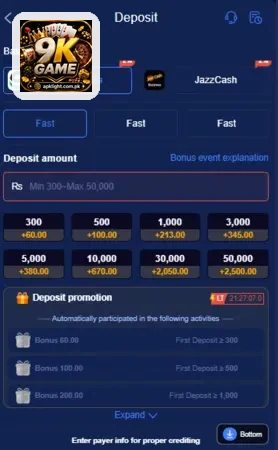
Bonus credits often carry wagering or usage restrictions; the card spells them out. You feel the difference most on a busy phone.
Keeping Your Account Secure
Never share your password or verification codes; support never asks for credentials over chat. It is a small detail that matters over weeks of use.
Account recovery depends on accurate details, so enter real information during registration. For a phone-first app, that is the right priority.
How to Download and Install 9K APK
Glance at file size and permissions before installing; mismatches signal a bad mirror. It is a small detail that matters over weeks of use.
Avoid modified copies of 9K; unofficial rebuilds can add anything to the package. The behavior stays consistent across versions.
Core Features in 3.3.2.0
The lobby opens directly into the most-used sections, so everyday actions rarely take more than two taps from launch.
Progress survives a cache clear, because saved history lives on the account rather than only on the phone. Reviews tend to mention this point first.
The app remembers display preferences per device instead of tying them to the account.
9K is best understood as a focused app: fewer sections, clearer labels, and faster navigation. This keeps day-to-day use predictable.
Sign Up and Sign In
Choose a password you do not use elsewhere, and store it in a manager. Returning users notice the same behavior every time.
Setup from Start to Finish
On slow connections, prefer Wi-Fi for the download even though the package is compact.
1. Open the official 9K page on the phone you will use.
2. Tap the downloaded APK in your browser download list.
3. Keep the screen on until installation completes.
4. Launch 9K and allow only the permissions you recognize.
Download 9K only from the official page or a mirror you trust. Check that the version number matches 3.3.2.0 before installing, and scan the APK with a mobile security app if you want extra assurance.
Where 9K Fits
If 9K is not quite the right fit, JAZBABET bet may match your preferences more closely.
Usage Tips
Check the promotions tab before big sessions; new offers appear quietly.
Start with the built-in tutorial if it appears on first launch; it explains the lobby fastest.
Trust and Safety Notes
Check requested permissions during install; 9K should not ask for contacts or messages. The result is a calmer, more predictable session.
Advantages and Trade-offs
Where others add layers, 9K removes steps; that philosophy defines every screen. It is the kind of choice you notice only when it is absent.
Using 9K Locally
Players in many regions often search 9K alongside local payment options.
Referral programs, where available, list their requirements on the promo card. The approach holds up after a few weeks of regular use.
Payment Considerations
Transaction options depend on region; the account area lists supported methods with their limits.
Daily or seasonal offers rotate; checking the tab occasionally is enough.
Recent Improvements
Older builds keep working, but 3.3.2.0 fixes minor display glitches on smaller screens.
Popular Picks Alongside 9K
Community chatter often names A555bet casino alongside 9K during update weeks. You feel the difference most on a busy phone.
If 9K is not the right fit, the related-apps section lists similar options. Returning users notice the same behavior every time.
What 9K Does
At its core, 9K is a mobile-first platform that focuses on short, repeatable sessions. You open the app, pick an activity, and get to the action within a few taps. There is no desktop client to configure, which is why most players keep it installed on a single daily device.
Buttons are sized for one-handed use, with spacing that avoids mis-taps on smaller phones.
The install size leaves room for other apps even on tighter storage.
Main Attractions of 9K
Menus stay shallow: nothing in 9K is buried more than two levels deep. The trade-off is visible only to people who compare closely.
A search function inside the lobby helps you reach specific sections without scrolling through the full list.
Curiosity about rankings is common, and the BAY247 login draws steady traffic. It leaves room for the rest of your phone to do its job.
Installing Version 3.3.2.0
Install over the previous build; there is no need to wipe data first. Most of the polish is invisible until you need it.
Review account privacy settings after registering; defaults are deliberately minimal.
FAQ
Why is a section missing from my app?
Sections can be region-gated; check availability in your area before assuming a problem.
What is 9K?
9K is a mobile Review Rankings app focused on quick sessions and simple navigation.
Is there a desktop version?
No, 9K is built for Android phones and does not ship a desktop client.
How do I contact support?
The account area lists the current support channel; keep your transaction references ready.
Can I use 9K on multiple devices?
Sessions tie to your account, so signing in elsewhere syncs progress while the first device may sign out.
What is new in 3.3.2.0?
Stability fixes and interface polish; the download page lists the specifics.
Do updates delete my data?
No, installing the new APK over the old build keeps settings, history, and preferences.
Is my payment information stored in the app?
Payment details are handled by the listed providers; 9K shows records rather than storing card numbers.
Last Word on 9K
9K keeps things simple: fast lobby, shallow menus, steady 3.3.2.0 updates.
Review permission grants once a month from Android settings.
تبصرے